 User Interface: Asset Detail
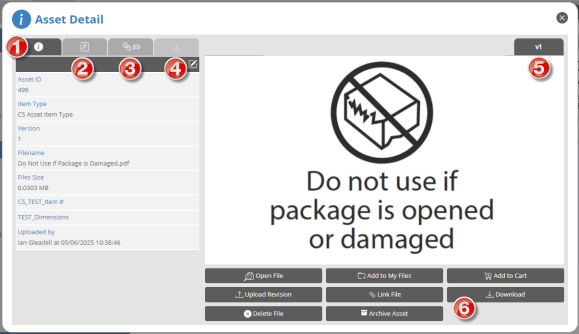
The Digital Asset Library (DAL) serves as a central repository of documents, image files, and approved artwork files. A DAL Asset Detail dialog box displays the following information for an asset.
|
|
Component |
Description |
|---|---|---|
|
1 |
Detail |
View the asset ID, item type, version, filename, size, uploaded by, and any other metadata for the file. |
|
2 |
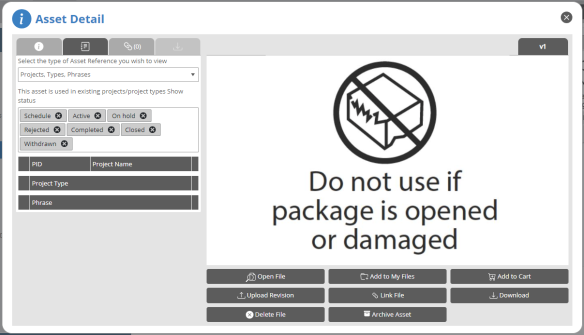
References | View the projects, project types, and phrase where the asset is used. For more information, see References. |
|
3 |
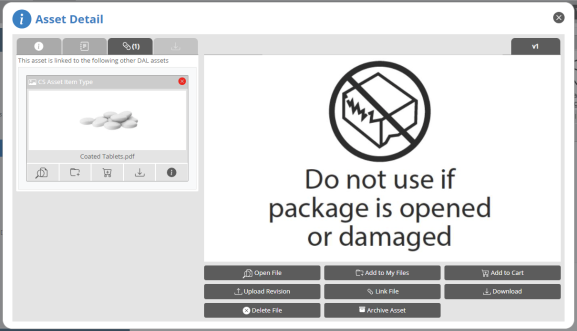
Link File | View a list of DAL assets that this asset is linked to, or add a linked file. For more information, see Link File. |
|
4 |
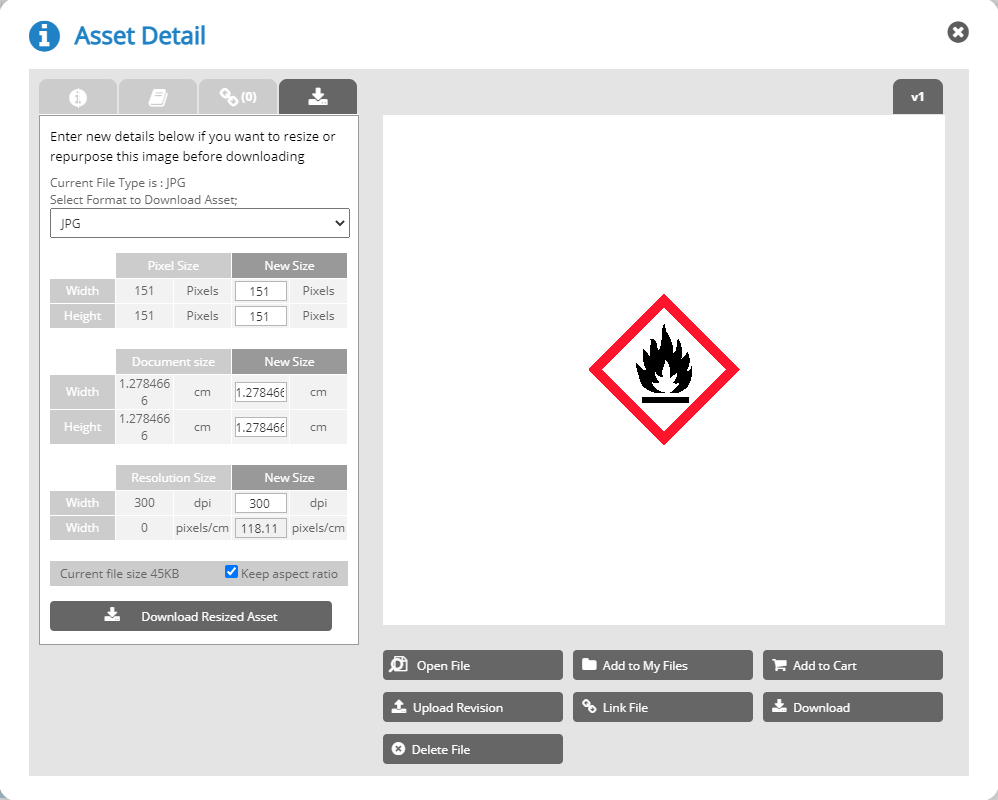
Download | Resize and download the asset. For more information, see Download. |
|
5 |
Version tab | The version of the asset displayed. |
|
6 |
Buttons |
Depending the type of asset, buttons may include the following:
|
References
The project reference table displays where the asset is used in existing projects and project types, as well as in non admin projects created from master datasheet (MDS) rows where the asset is associated with a cell in the chosen row and version.
Link File
Download
If this tab is disabled, ask an administrator to add the asset format type to the Supported formats (DAL image resize) list. For more information, see Configure Supported File Formats and Size. You can still download the asset without resizing using the Download button.
 more
more