 Setting up Proxy Users
You can use the Proxy Users  dialog box to enable another user to act as your user in Smartflow. This is useful if you are going to be out of the office but will have tasks that still need to be completed. You can specify a start and end date for your proxy user(s), as well as a different proxy user for each of your roles if you have multiple roles.
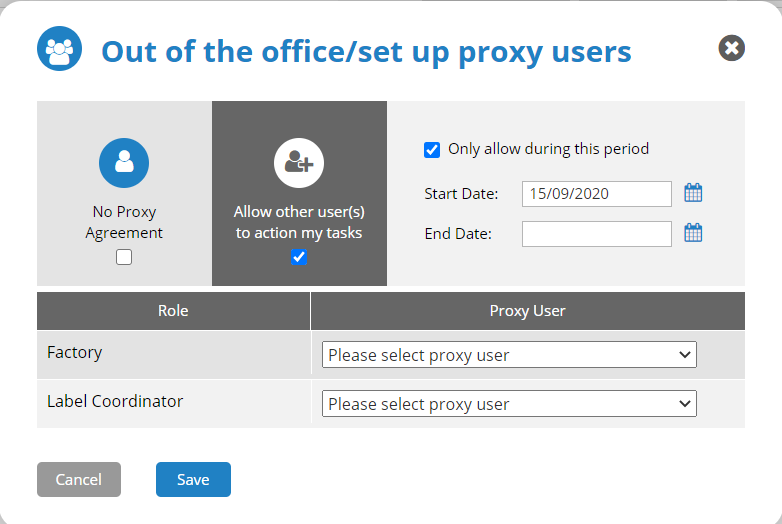
To set up a proxy user, use the following procedure.
- Click Proxy Users .
- Select Allow other user(s) to action my tasks.
- If you want to set a start and end date for the proxy user, select Only allow during this period, and then enter a Start Date and End Date.
- For each of your listed roles, select a user from the Proxy User drop-down list.
- Click Save. The Proxy User icon in the navigation menu is updated reflect there are current proxy users, and you can hover over the icon to display the proxy user name(s).
No Proxy Users 
Current Proxy Users 
 more
more