User Interface: Datasheet Template
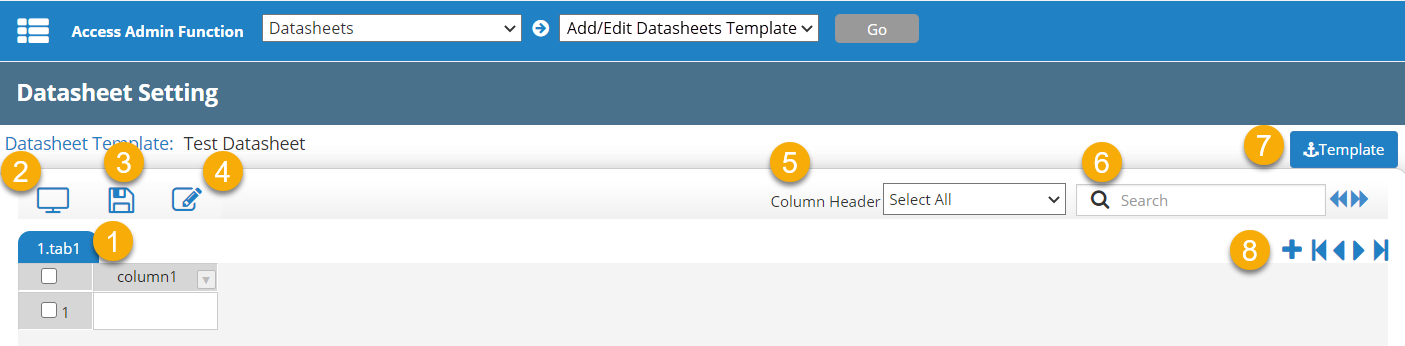
When you open a datasheet template from the Admin  > Datasheets > Add/Edit Datasheets Template page, the template view has the following components.
|
|
Component |
Description |
|---|---|---|
| 1 | Current tab | Currently displayed data tab. |
| 2 | Full Screen | Full screen view of datasheet. |
| 3 | Save | Save the datasheet after modifications have been made. |
| 4 | Edit | Enable edit mode for the datasheet. |
| 5 | Column Header filter | Filter columns based on column header property. |
| 6 | Search | Search the datasheet. Supports OR search (enter multiple words to return results matching any of the terms) and phrase search (use quotes to return results matching the exact phrase). |
| 7 | Return to template list | Go back to the list of datasheet templates (previous screen). |
| 8 | Add tab and navigate buttons | Add another datasheet tab (item 1). |
 more
more